Plan a 5-Second Product Video from One Photo
Build a restrained product motion loop, frame it for 9:16 or 16:9, and check identity, cropping and the loop seam before choosing a marketplace placement.
A useful five-second product video communicates one thing clearly: what the item looks like in a controlled moment of motion. From a single photo, start with a small showcase movement rather than a complete rotation that would reveal surfaces the source never showed. Preserve the real product's shape, label and included parts before adding visual drama.
ProductVisualAI creates approximately five-second motion loops in 9:16 or 16:9. That describes the generated asset, not a promise that every Amazon, TikTok Shop or advertising placement accepts that duration. Check the destination's current upload requirements and your account's eligibility before producing a batch.
- Choose one useful motion
- A five-second shot plan
- Frame 9:16 and 16:9 separately
- Review the result frame by frame
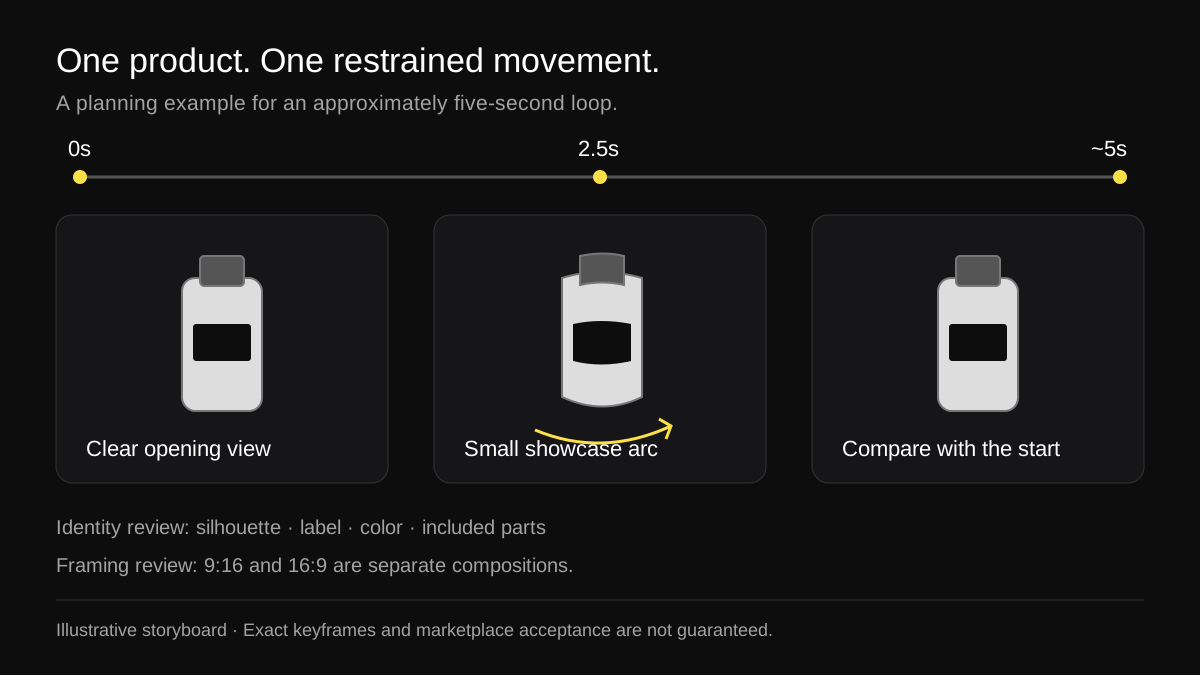
An illustrative storyboard, not a playable video or a claim that generation follows exact keyframes.
Choose one useful motion
Start by deciding what the viewer should notice. A bottle might benefit from a small shift in reflected light. A fabric bag might need a gentle camera arc to show its silhouette. A rigid electronic accessory may only need a modest showcase move that keeps its buttons and ports readable.
Do not combine a full turntable, a dramatic camera push, moving props and a background change in one short shot. Each introduces another opportunity for an implausible edge or an inconsistent part. A short loop works best when its starting image already explains the item.
Treat a full 360-degree rotation as a different capture problem. One front photograph does not establish the geometry or printed text on the back. If a factual rear view matters to the buyer, photograph that view. A generated reveal should not stand in for evidence of a connector, seam, warning label or opening mechanism.
Before proceeding, keep a fixed reference of the approved source. Identify the features that must not change: the number of buttons, the cap shape, the handle attachment, the label wording, or the color of a specific variant. This becomes the acceptance checklist for the motion.
Prepare a source that supports motion
Choose a sharp, well-lit image with space around the whole product. Avoid a tight crop that already cuts off a handle or the tip of a lid. Motion needs visual room; a product that nearly touches the frame can leave it during a small camera move.
Check the background and reflections. An uneven shadow can appear to slide when the generated scene moves. A shiny surface can change highlights, but the product should not seem to melt or change material. If label text is unreadable in the source, generation is not a reliable way to recover its exact wording.
For a product with important fine details, make the motion less ambitious. This is a creative tradeoff: buyers learn more from a stable, truthful label than from a larger camera move that distorts it. If the source needs a white-background pass first, use the main-image review checklist before creating motion from it.
A five-second shot plan
The table below is a planning example for a small cosmetic bottle. It gives you a brief to judge against, not an exact editing control inside ProductVisualAI. A generated loop may distribute its movement differently; inspect the actual result.
Swipe sideways to see every column
| Approximate moment | Intended visual | What to check |
|---|---|---|
| 0–1 seconds | A clear, settled view of the complete item | The opening frame can explain the product on its own |
| 1–4 seconds | A small showcase movement or restrained turntable-style arc | Shape, label and number of parts stay stable |
| 4–5 seconds | Return toward the opening composition | No sharp jump, scale change or lighting flash at the seam |
Give the movement an operational description. "Small clockwise showcase arc, stable camera height, product centered, fixed background" is easier to review than "make it premium." The latter describes a mood but gives you little help when deciding whether a result meets the brief.
A sample prompt for an illustrative bottle is:
Create a short, restrained showcase loop from this product photo. Keep the bottle silhouette, cap, label wording and colors consistent with the source. Use a small turntable-style arc with steady lighting and a fixed neutral background. Keep the full item inside the frame and end near the opening composition. Do not reveal a new rear label, add accessories or change the product.
This prompt states the intended result. It does not guarantee preservation, exact motion timing or a perfect loop. You still need to reject a result that changes the product, even if it follows the desired camera movement.
Download the shot-plan worksheet (CSV) to add the SKU, source file, intended movement and review notes before production.
Frame 9:16 and 16:9 separately
An aspect ratio describes shape, not resolution or upload eligibility. A 9:16 frame is tall; a 16:9 frame is wide. Two files can share the same ratio and have different pixel dimensions, compression levels and practical uses.
Swipe sideways to see every column
| Format | Useful planning context | Composition decision |
|---|---|---|
| 9:16 | A vertical TikTok-oriented creative | Keep the product readable within a tall frame and inspect it with the destination's interface overlay |
| 16:9 | A wide product showcase, including Amazon video placements where eligible | Give a wide product enough lateral room and keep its important features clear at the displayed size |
TikTok's official in-feed ad specifications distinguish Spark and Non-Spark ads and describe vertical, horizontal and square formats. Those are advertising specifications. They should not be silently applied to every organic post or TikTok Shop upload surface.
The same page explains that safe zones depend on the creative and interface elements. Avoid treating a single fixed pixel margin as universal. Preview the file with the actual placement's controls, caption and overlays. If you intend to add copy in a separate editor, leave deliberate room for it rather than covering the product later.
Do not stretch a vertical output into a horizontal frame. It changes the item's proportions. Cropping can also remove a handle or a bundle component. Plan each version from the source for its intended composition, then inspect the resulting file. ProductVisualAI offers 9:16 and 16:9 presets; that is different from automatically delivering both versions for one render.
Review the result frame by frame
Watch the whole clip once at normal speed, then scrub through its beginning, middle and end. Pause on label text, moving edges and fine parts. A distortion can be brief enough to miss in a casual preview and still be visible to a shopper who stops the video.
Use this review sequence:
- Compare the opening frame with the approved source. Confirm SKU, variant, color, quantity and included parts.
- Check the middle of the movement. Look for a cap that changes shape, a handle that detaches, duplicated buttons or a label that develops new letters.
- Inspect the tightest crop. Make sure the entire intended item stays inside the frame, including reflections or shadows needed to understand it.
- Compare the last frame with the first. A loop should not visibly snap in position, scale, exposure or background color.
- Review the downloaded file, not only the preview. Check its actual duration, pixel dimensions, orientation and playback in your intended upload workflow.
If the seam is distracting, decide whether a different generation or a less ambitious motion is worth the cost. If the identity drifts, reject it. Do not use a convincing first frame to excuse changes later in the clip.
Silent playback is another useful review condition. The viewer should understand the product without a voiceover or a soundtrack. A motion loop demonstrates appearance; it should not depend on spoken claims that the source photograph cannot substantiate.
Match the asset to an eligible destination
Amazon's Shopping video guidelines, checked for this guide on November 5, 2026, list a duration of 1–12 minutes for that upload workflow. A five-second standalone loop does not meet that stated range. The guidelines list MOV or MP4 and accept horizontal and vertical aspect ratios, but matching the format does not remove the duration requirement.
Before approving a file, inspect the current Seller Central workflow for the account, category and placement you actually use. Different Amazon video surfaces can have different specifications. Treat this short loop as a creative asset, not a universally upload-ready Amazon product video.
For a placement requiring a longer duration or more explanation, plan a suitable longer production in your editing workflow. Add useful product information rather than repeating a five-second loop merely to reach a minimum length. A short loop can be an ingredient where permitted; it is not a complete product demonstration, instructional video or proof of a performance claim.
For TikTok, distinguish a listing video, an organic post and an ad. Each can have its own specifications or review rules. Check the final creative in its destination rather than approving it only because another TikTok surface accepted the same dimensions.
Budget the versions before generating
A product video costs 2 credits in ProductVisualAI. A listing ZIP costs 3 credits and pairs a white main image with a motion asset. If your plan calls for a second separately generated video format, budget another video job rather than assuming one output includes every crop.
For example, the white-main-plus-motion ZIP is 3 credits. Adding a separate 16:9 video job to a plan that already has a vertical loop adds 2 credits, for 5 credits in that example. Additional stills and revisions are separate work; verify current costs on the credit plans page.
Use the product video tool after the shot plan is ready. Keep the downloaded files in the same SKU asset pack as the approved source and review notes, so a later upload does not accidentally use a rejected version.
Questions to resolve before a batch
Is a larger rotation always more informative?
No. A larger move can show more imagined geometry when the source contains only one view. Use real additional photos when a buyer needs to inspect hidden features. Restraint is often the more truthful creative choice.
Does a smooth loop prove the product stayed accurate?
No. Motion continuity and product accuracy are separate checks. A very smooth video can still change a logo, connector or material. Review both before approval.
Can the same file be uploaded everywhere?
Only if it meets each destination's current requirements and preserves a useful composition there. Treat a reusable source and shot brief as the shared foundation, then validate each output separately.
Sources and scope
The storyboard and worksheets are original planning examples. TikTok's official in-feed specifications support the discussion of advertising formats and safe zones; they are not a universal TikTok Shop policy. Amazon's Shopping video guidelines support the stated duration limitation for that workflow; check the current rule for any other Amazon surface. No conversion uplift, marketplace acceptance rate or generation-time guarantee is claimed in this guide.